You have a capture page. People sign up. And then what?
If the answer is "they get my Tuesday newsletter, like everyone else", your funnel stops at the front door.
The real work starts the moment the lead arrives: what do they receive, in what order, and what happens when they buy (or when they do not)?
Systeme.io does all of that natively, free plan included. You just need to know which rules to create. Here they are, in the order I set them up.
Systeme.io rules or workflows: which one should you use?
Systeme.io has two tools, and they are easy to mix up.
| Automation rules | Workflows | |
|---|---|---|
| How it works | One trigger, then one or more actions | A visual canvas, step by step |
| Delays between two actions | No | Yes (minutes, hours, days, a set date) |
| "If, else" decisions | No | Yes, based on tags, fields or signup date |
| Learning curve | 2 minutes | An afternoon |
| Good for | 90% of what a solopreneur needs | Long sequences with branches |
My rule of thumb: always start with rules. Move to a workflow the day you catch yourself writing "and if the contact has already bought, then...". That is the sign you need a decision.
The Systeme.io triggers and actions worth knowing
You do not need to know them all. These cover the essentials:
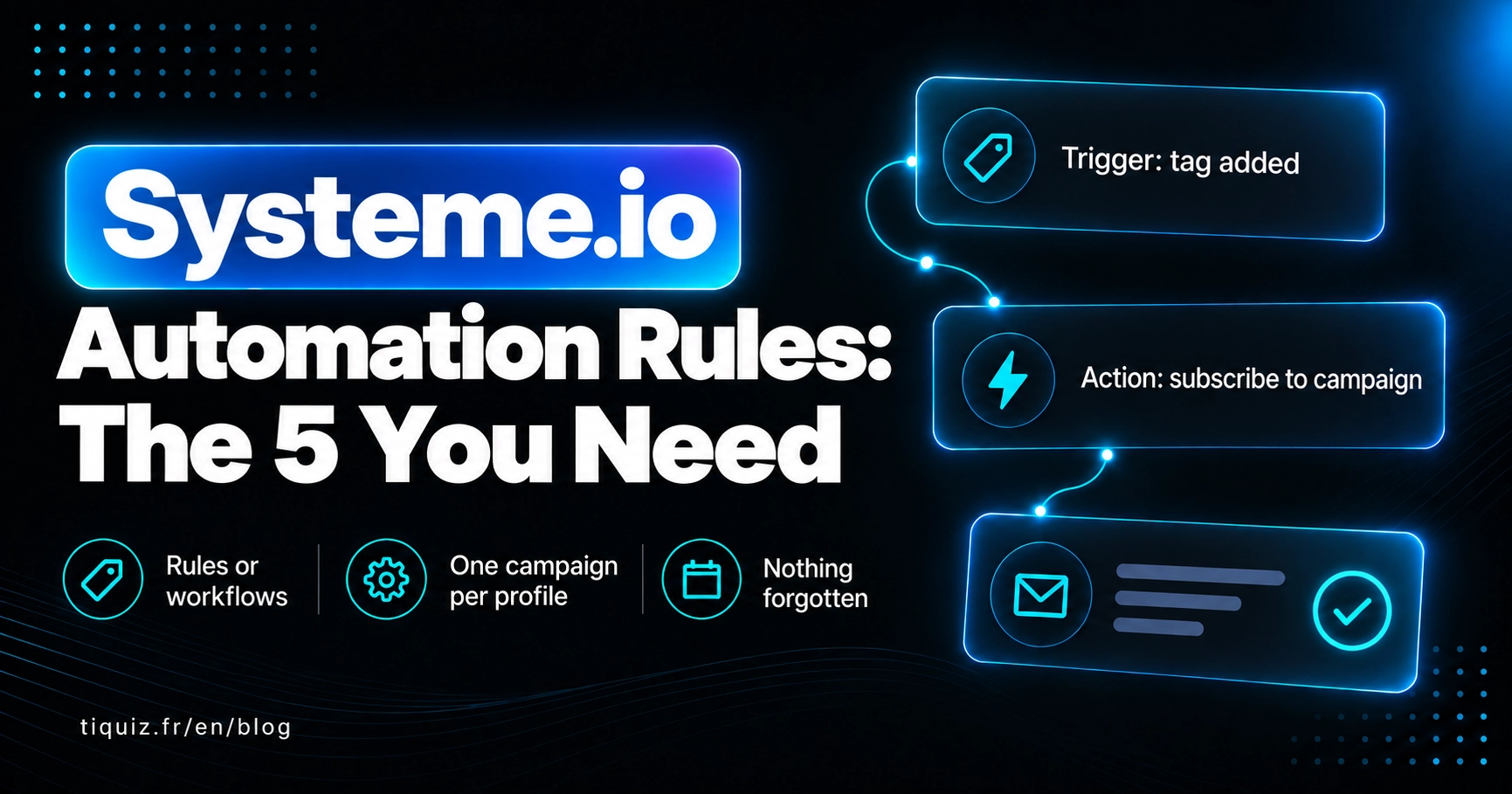
Triggers: Funnel step form subscribed, Tag added, Tag removed, New sale, Email link clicked, Campaign completed, appointment booked.
Actions: Add tag, Remove tag, Subscribe to campaign, Unsubscribe from campaign, Send email (to the contact, or to a specific address, yours for instance).
With those bricks you build the five rules that follow.
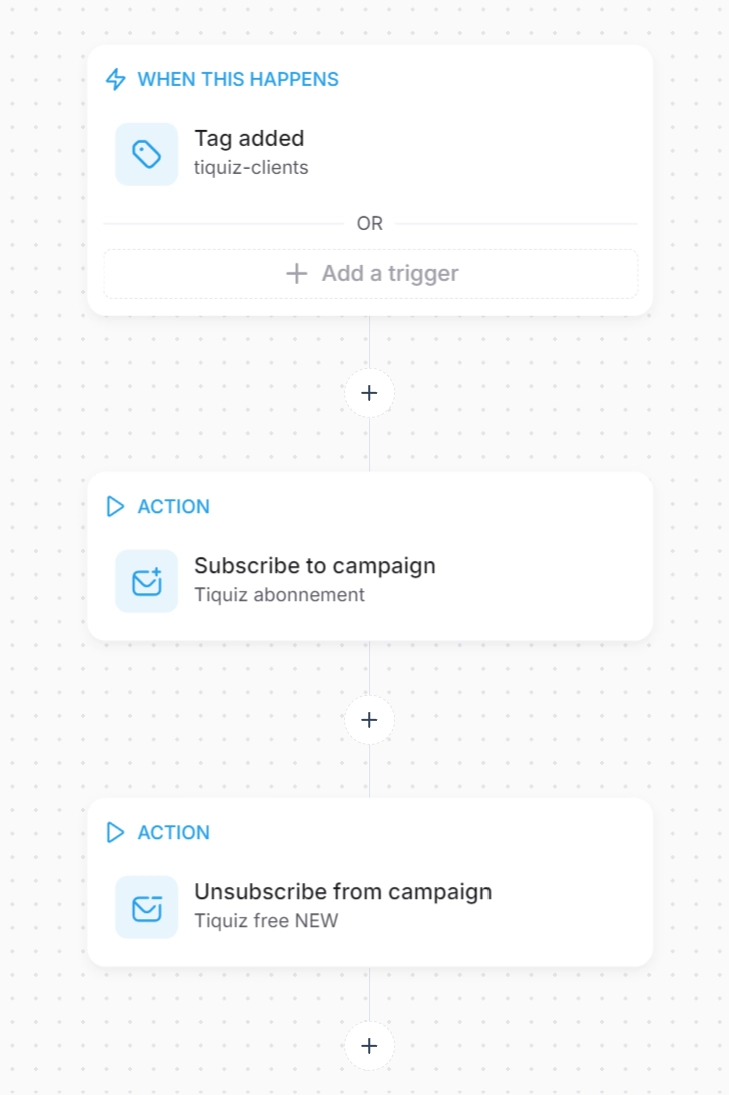
Systeme.io rule #1: the new lead enters its welcome sequence
Trigger: Tag added (lm-sleep-guide, for example)
Action: Subscribe to campaign "Welcome sleep guide"
Why start from the tag rather than the form? Because the same tag can arrive through several doors: your capture page, a quiz, a manual import. Hanging the campaign on the tag means one rule instead of three.
Systeme.io rule #2: the buyer leaves the sales sequence
Trigger: New sale (on your offer)
Actions:
- Add tag
customer-offer-name - Remove tag, the prospect one
- Unsubscribe from campaign, the sales one
This is the rule everybody forgets, and it is the one that damages the customer relationship most. Nothing is worse, for someone who just paid, than getting "Only 24 hours left!" the next morning.
You can add a fourth action: subscribe them to a customer welcome campaign. Someone who just bought is the most attentive person on your whole list.
Systeme.io rule #3: a finished sequence opens the next one
Trigger: Campaign completed ("Welcome sleep guide")
Actions:
- Add tag
status-sequence-done - Subscribe to campaign, your evergreen one (regular tips, newsletter)
Without this rule, your lead finishes the welcome sequence... and then nothing. They fall back into silence, and they forget you.
Systeme.io rule #4: an interest click becomes a tag
Trigger: Email link clicked, on one specific link
Action: Add tag interest-coaching
You drop "Would you rather go solo or with support?" into an email, with two links. Each click adds its own tag. The week after, you only send your coaching offer to the people who clicked "with support".
It is the gentlest segmentation there is: your readers tell you what they want, in one click, with no form.
Systeme.io rule #5: each profile gets its own emails
This is the rule that changes everything once you have a quiz.
For each profile:
Trigger: Tag added (profile-burnt-out)
Actions:
- Subscribe to campaign "Burnt-out profile"
- Unsubscribe from campaign, the other profiles' ones (in case the person retakes the quiz)
Julie took the quiz and landed on "The exhausted perfectionist". She gets a sequence about HER exhaustion, in HER words, offering the thing built for her. Marc, profile "The motivated beginner", gets a completely different sequence.
Same quiz, same page, two different conversations.
The Systeme.io automation traps
Two campaigns at once. A contact subscribed to two campaigns receives both. If your sales sequence and your newsletter land on the same day, they get two emails. Unsubscribe them from one when they enter the other.
The loop. A rule that adds a tag that fires a rule that re-adds the tag... Per the Systeme.io help centre, one trigger does not fire more than 20 times for the same contact: past that, automations are disabled for them. If a contact "stops receiving anything", look there.
Your newsletter day. If you send a newsletter every Monday, exclude Monday in your campaign sending settings, otherwise a lead in a sequence gets two emails that day.
The Systeme.io automations to create for every lead magnet
- Tag added, then subscribe to the welcome sequence
- New sale, then customer tag, remove the prospect tag, unsubscribe from the sales sequence
- Campaign completed, then subscribe to your evergreen campaign
- Interest click, then interest tag
- Profile tag, then that profile's campaign, unsubscribe from the others
Automating Systeme.io from a quiz that applies the tags
Every one of these rules starts from a tag. Which means the right tag has to arrive, at the right moment, on the right contact.
With Tiquiz, you connect your Systeme.io account once, and every quiz participant arrives with their profile tag already applied. Tiquiz creates the tag if it does not exist, and writes the profile title into the tiquiz_result field. Your rules 1 and 5 fire on their own. No Zapier, no extra subscription, and it works on the free plan.
And if writing one sequence per profile gives you cold sweats, the Tiquiz PLUS tier writes the email sequence and the bonus for each profile for you.
Build a quiz that tags my leads
To name the tags every one of these rules relies on, read the complete guide to Systeme.io tags.
FAQ · Systeme.io automation rules
Are automations included in the Systeme.io free plan?
Yes. Per the Systeme.io pricing page, automation rules and workflows are included in every plan, free one included.
What is the difference between a rule and a workflow in Systeme.io?
A rule is "when this happens, do that", immediately. A workflow adds delays and yes/no decisions based on the contact's tags or fields.
How do you automatically subscribe a contact to a Systeme.io campaign?
Create a rule with the Tag added trigger (or Funnel step form subscribed) and the Subscribe to campaign action.
Why has my contact stopped receiving my automations?
Check three things: that they are not unsubscribed, that they really carry the expected tag (watch out for duplicate tags), and that they have not hit the 20-triggers-per-trigger limit documented in the Systeme.io help centre.
How do you send a different sequence depending on a quiz result?
One tag per profile, and one rule per tag that subscribes to that profile's campaign. With Tiquiz, profile tags are applied automatically on every submission.
Can you stop a contact getting two emails on the same day?
Yes: unsubscribe them from one campaign when they enter another, and exclude your newsletter day in your campaigns' sending settings.
Sources
- Systeme.io, "How automation rules work" : https://help.systeme.io/article/140-automation-rules
- Systeme.io, "How to create workflows in systeme.io" : https://help.systeme.io/article/1542-workflow-feature
- Systeme.io, "How to trigger automations after contacts click links in an email" : https://help.systeme.io/article/2927-how-to-trigger-automations-after-clicks-on-an-email-link
- Systeme.io, pricing page: https://systeme.io/pricing