
Integrations
Connecting Interact to Systeme.io
Interact is the best known quiz marketing tool, and its template library is the richest on the market. Here is how it connects to Systeme.io, exactly as its own documentation describes it.
What Interact's documentation says
There is no native integration. The connection goes through Zapier, and the help page asks for a Zapier Pro account right in its “Before you start” section.
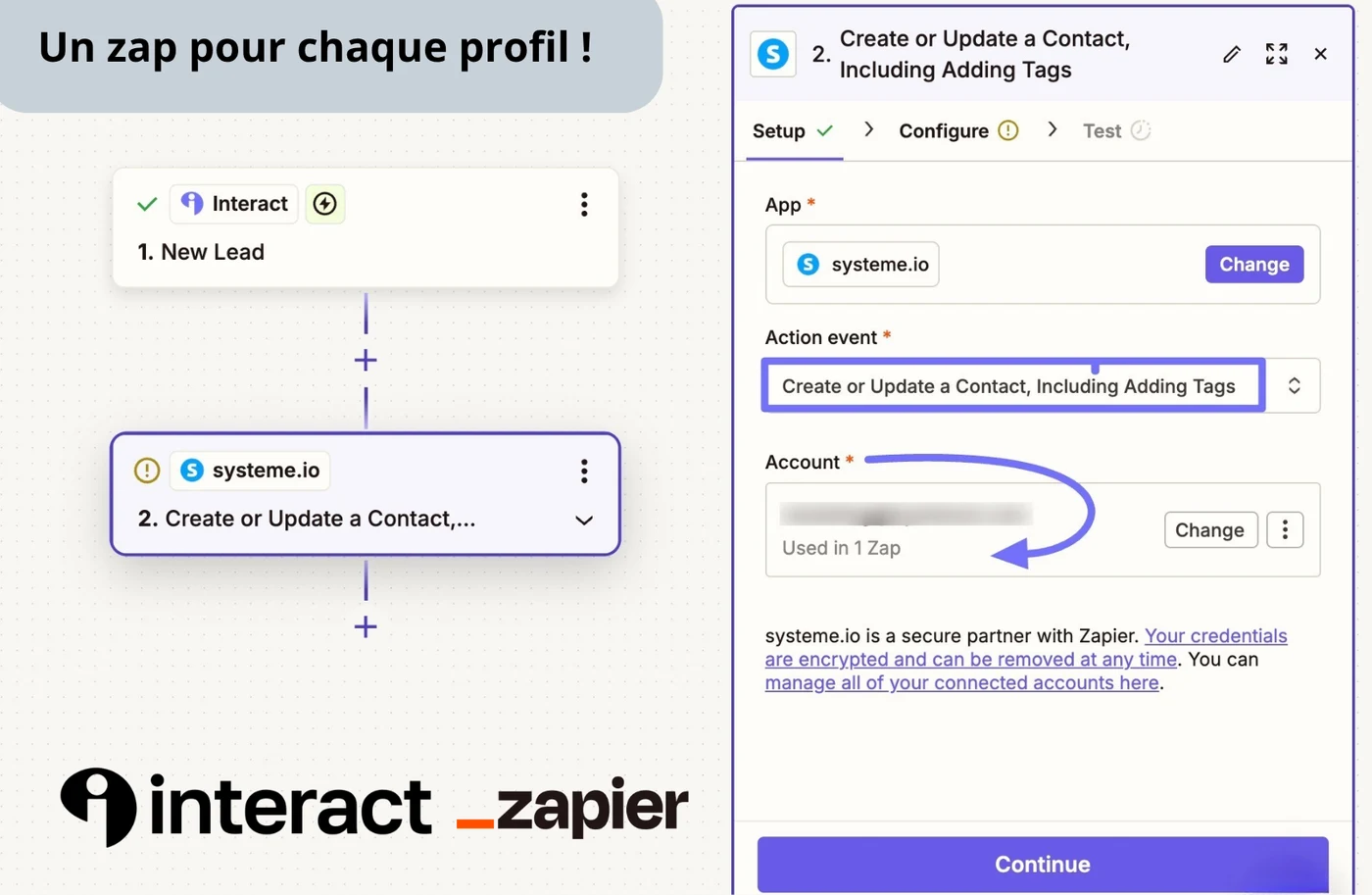
The path they describe has three steps. In Interact, turn on lead capture and connect Zapier with an API key. In Zapier, create a Zap with “New Lead” as the trigger. Then pick, on the Systeme.io side, the “Create or Update a Contact, Including Adding Tags” action.
And these two points, in their own words:
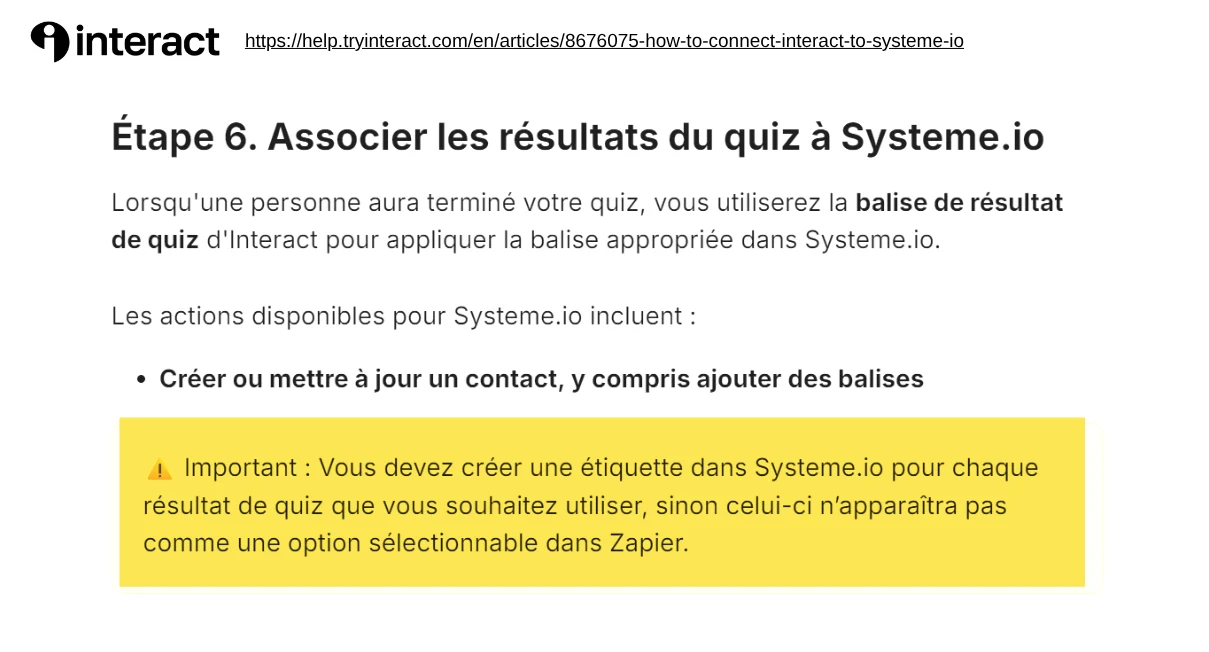
« You must create a tag in Systeme.io for each quiz result you want to use, or it won't appear as a selectable option in Zapier. »
« Repeat this Zap setup for each quiz result tag you want to apply in Systeme.io (one Zap per result tag). »
In other words: every quiz result needs a tag created by hand in Systeme.io before any setup, then its own Zap.
What that means on a real quiz
| 5-profile quiz | Interact + Zapier | Tiquiz |
|---|---|---|
| Tags to create by hand | 5 | 0, created along the way |
| Zaps to set up | 5 | 0 |
| Subscriptions | 2 | 1 |
| Adding a 6th profile | 1 tag + 1 Zap + 1 test | write the profile |
| Cost of the plumbing | €27 a month | included |
Zapier's free plan does not cover this case: 100 tasks a month, and Zaps capped at 2 steps when you need more. The details are on the Zapier and Systeme.io page.
What changes with Tiquiz
It comes down to one sentence: Tiquiz looks the tag up in your Systeme.io account and creates it if it is not there. Nothing to prepare, nothing to map, no Zap to duplicate per profile. The API key goes in once, the profiles get written, and everyone who finishes the quiz arrives tagged. A profile can carry several tags, to cross two segments.
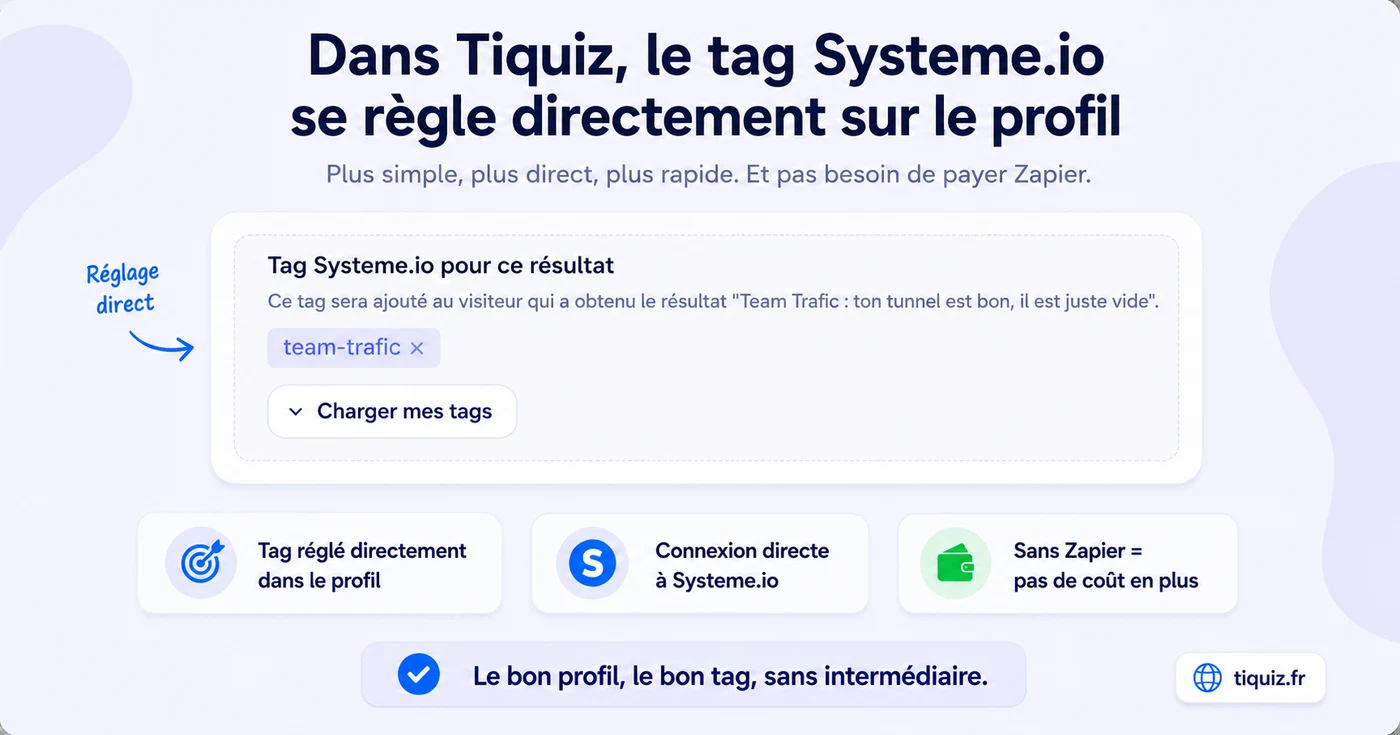
The Systeme.io connection is in the Tiquiz free plan, at €0, with no card and no time limit.
What Interact does better
The template library, with nothing comparable today. Years ahead on editor polish. And a far wider integration ecosystem, since Systeme.io is only one destination among dozens.
If the choice comes down to ready-made templates, Interact wins. If it comes down to tagged leads inside Systeme.io without paying for plumbing, the answer is on the other side.
The full quiz tool comparison: quiz tools for Systeme.io, compared.
Frequently asked questions
- Does Interact have a native Systeme.io integration?
- No. Interact's official documentation describes a connection through Zapier and asks for a Zapier Pro account. No direct connection is offered.
- Do you have to create the tags by hand to connect Interact to Systeme.io?
- Yes. Interact's documentation states that a tag must be created in Systeme.io for every quiz result, otherwise it does not appear as a selectable option in Zapier.
- How many Zaps does an Interact quiz need?
- Interact's documentation asks you to repeat the Zap for every result tag, so one Zap per result. A five-profile quiz therefore needs five Zaps, on top of the five tags created beforehand in Systeme.io.