
"Free quiz maker" covers three families of tools that have almost nothing in common. A teacher, a team lead and a coach who wants subscribers won't be happy with the same one. So before asking which quiz software to pick, you need to know what you'll use it for.
Full disclosure: I built Tiquiz, and it's in this article. Every free plan below comes from each tool's own pricing page, checked on November 13, 2026.
Free quiz makers: three families, three different jobs
| Family | Built for | Examples | What you get for free |
|---|---|---|---|
| Classroom and live quizzes | Teaching, training, team games, with a leaderboard | Kahoot, Wayground (formerly Quizizz) | Live sessions with scores. No lead capture, no email tool connection |
| Forms with a quiz mode | Graded tests and simple surveys | Google Forms | Points per answer and automatic grading, answers in Google Sheets |
| Lead generation quiz builders | Turning visitors into subscribers sorted by result | Tiquiz, Interact, involve.me, ScoreApp, Typeform | A limited number of quizzes or responses, with or without integrations |
If your goal is to grow an email list, only the third family does the whole job: questions, a result page per profile, the email asked right before the result, and the contact sent to your email tool.
Free plans of lead generation quiz makers, side by side
| Tool | Free plan | Quizzes | Responses or leads | Integrations on the free plan |
|---|---|---|---|---|
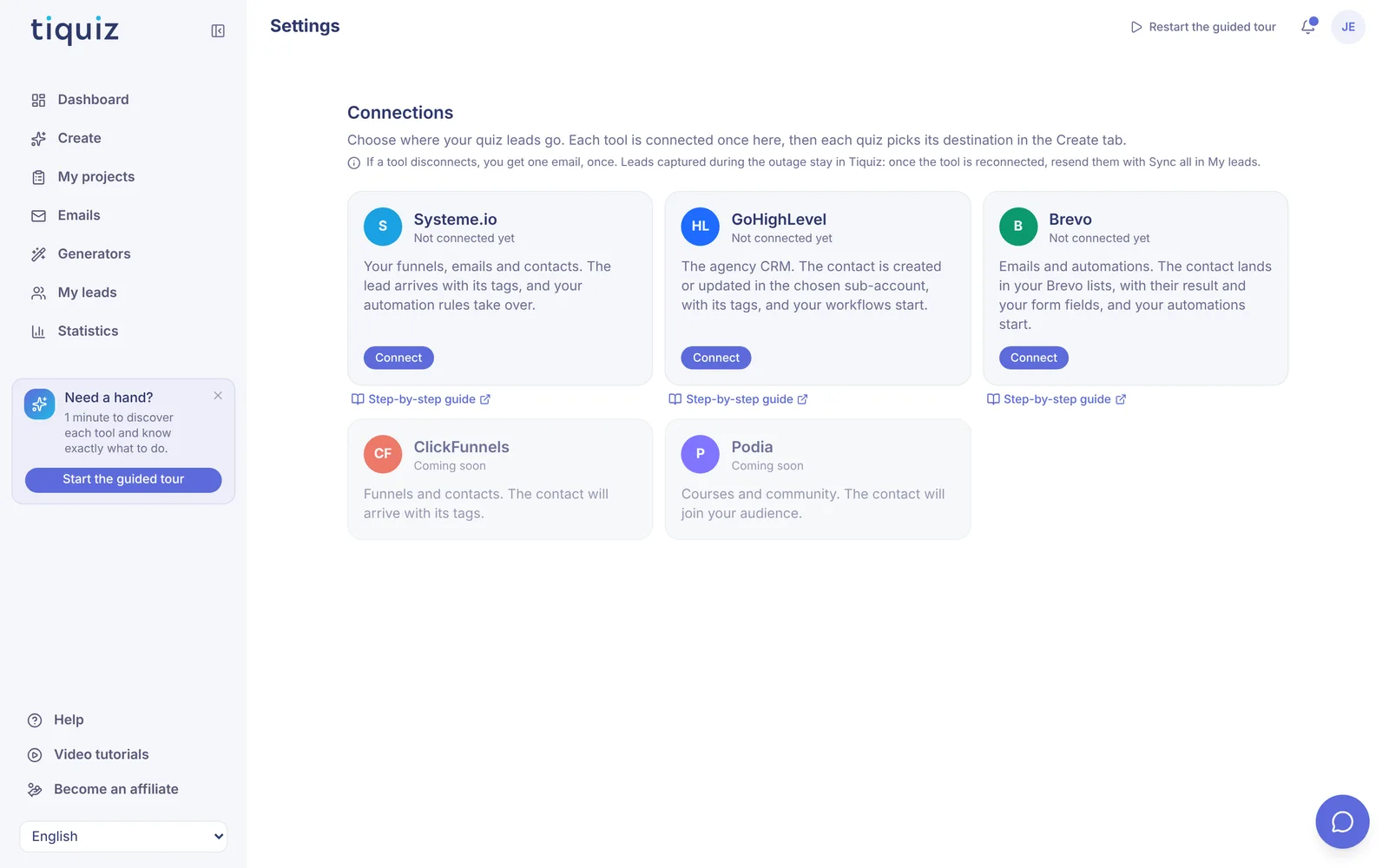
| Tiquiz | Yes | 1 quiz | 10 visible leads per 30 days, the others are kept | 1 connection: GoHighLevel, Systeme.io, Brevo or a webhook |
| Interact | Yes | 5 quizzes | 100 responses a month | None |
| involve.me | Yes | 2 funnels | 50 responses a month | None |
| ScoreApp | Yes | 1 scorecard | 10 responses a month | See its pricing page |
| Typeform | Yes | Forms and quizzes | A limited number of responses | See its pricing page |
| Outgrow | For forms and surveys only | No quiz on the free plan | 7-day trial for quizzes | Not applicable |
| LeadQuizzes | No | 14-day trial | Not applicable | Not applicable |
The first paid plans, for when the free one gets tight: Tiquiz $17 a month, Outgrow $22, Interact, ScoreApp and Typeform $39, involve.me $49, LeadQuizzes $59, all on monthly billing. The full comparison is in the best lead generation quiz builders.
Free quiz maker limits: the three to check before you build
1. Where do your leads go? A free plan without integrations keeps your leads inside the quiz tool. You then export a file by hand, or pay to connect your email tool. If your goal is an email sequence that starts on its own, this is the first line to read.
2. How are responses counted? Most tools count responses per month. 50 or 100 a month is fine for a test, and can be gone in one good day if a post takes off. Check what happens past the limit: are the extra leads lost, or kept until you upgrade? On Tiquiz they're kept, and they go to your email tool as soon as you upgrade.
3. How many quizzes can you publish? One quiz is enough to start, as long as it's the right one. Five quizzes with no connection to your email tool are five lists to export by hand.
Google Forms as a free quiz maker: what it does, and where it stops
Google Forms is free with a Google account, and it has a real quiz mode: you give points to each answer, it grades on its own, and every response lands in a Google Sheets file.
It's a good choice for a knowledge test, a training check or an internal survey. For lead generation, three things are missing:
- No result profiles. It gives a score out of a total. It doesn't sort people into "you're this type" with a page written for each type.
- No tag in your email tool. Answers go to a spreadsheet. Sending each person to the right email sequence takes another tool in between.
- No result page that sells. The end screen is the same message for everyone.
If you want the look of a form with more polish, see free Typeform alternatives compared.
Which free quiz maker to pick, by situation
- You teach, train or run a team quiz: Kahoot or Wayground.
- You need a graded test and nothing else: Google Forms.
- Your list lives in GoHighLevel or Systeme.io: Tiquiz, because the connection is in the free plan.
- You want to test several personality quizzes before choosing an email tool: Interact's free plan gives you 5 quizzes and 100 responses a month, with exports by hand.
- You sell with a scored diagnosis: ScoreApp's free plan lets you try one scorecard, with 10 responses a month.
And one honest limit on our side: Tiquiz has no questions that branch based on answers, and tools like Kit or Mailchimp connect through a webhook (Brevo connects directly).
FAQ · free quiz makers
Are there free options for creating interactive quizzes that still offer great functionality?
Yes. For teaching and live games, Kahoot and Wayground. For graded tests, Google Forms. For lead generation, Tiquiz, Interact, involve.me, ScoreApp and Typeform have a free plan, each with a limit on quizzes, responses or integrations.
Which free quiz maker sends leads to an email tool?
On Tiquiz, the free plan includes one connection to GoHighLevel, Systeme.io, Brevo or a webhook. On Interact and involve.me, integrations start with the paid plans, according to their pricing pages checked on November 13, 2026.
Is Google Forms good enough for a lead generation quiz?
It works for a graded test, with answers in Google Sheets. It doesn't sort people into result profiles, doesn't show a result page per profile, and doesn't tag contacts in an email tool without another tool in between.
What happens when I hit the limit of a free quiz maker?
It depends on the tool: some stop collecting, some hide the extra responses until you upgrade. On Tiquiz, leads beyond the 10 visible per 30 days are kept and sent to your email tool when you upgrade.
Sources (pricing pages checked November 13, 2026)
- Tiquiz pricing: tiquiz.io/pricing
- Interact pricing: tryinteract.com/plans
- involve.me pricing: involve.me/pricing
- Outgrow pricing: outgrow.co/pricing
- ScoreApp pricing: scoreapp.com/pricing
- LeadQuizzes pricing: leadquizzes.com/pricing
- Typeform pricing: typeform.com/pricing
- Google, "Create and grade quizzes with Google Forms": support.google.com