Someone just answered your questions, then typed in their email to see their result. Right now, nobody understands their problem better than you do: their answers are sitting right in front of you.
And that's usually where it all stops: a generic welcome email, then the Tuesday newsletter. The quiz sorted people into groups, and the follow-up throws them all back into the same bucket.
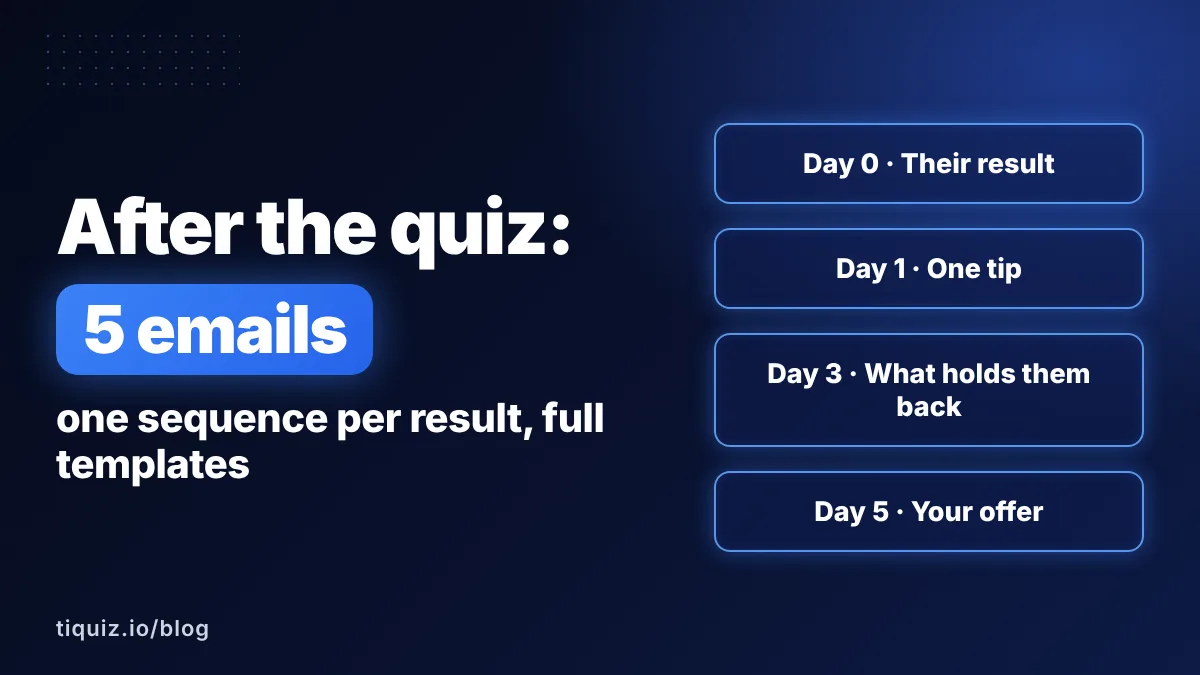
A post-quiz email sequence does the opposite: 5 emails per result that pick up the conversation the quiz started.
Why one sequence per result beats one for everyone
A free guide tells you one thing: this person is interested in your topic. A quiz tells you where they are and what's blocking them. Sending everyone the same email afterward is like a doctor running a full checkup, then writing every patient the same prescription.
A sequence per result changes three things:
- Your lead recognizes themselves in the very first email. They read their own words, so they open the next one.
- Your tip actually lands, because it targets their specific roadblock.
- Your offer shows up with the right angle. Same offer, framed around each result's problem: the angle is what sells.
And you don't have to write fifteen emails from scratch: one full sequence for one result, then three emails to adapt for each of the others.
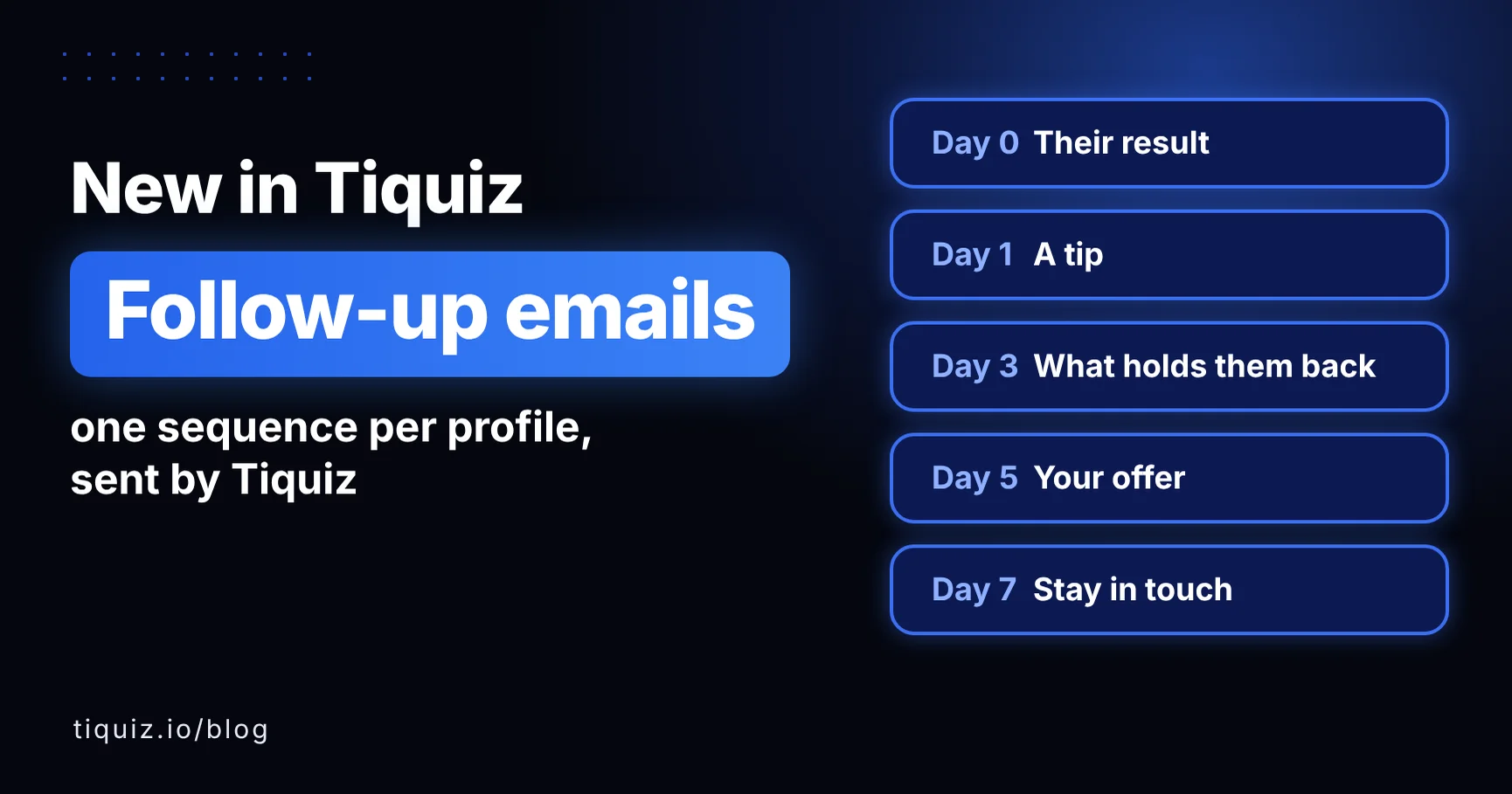
The 5-email plan, and when to send each one
| When | Its job | The mistake to avoid | |
|---|---|---|---|
| 1. Their result | Day 0, right away | Deliver the promised result, and make them want to reread it | Burying it under your life story |
| 2. One tip | Day 1 | One simple action they can take today, built for their result | Ten tips instead of one |
| 3. What's holding them back | Day 3 | Name the typical roadblock for their result, in their words | Lecturing |
| 4. Your offer | Day 5 | Present what you sell, through the lens of their result | Pitching everyone the same thing, the same way |
| 5. Stay in touch | Day 7 | Keep the connection and hand off to your newsletter | Vanishing, or chasing them forever |
Each delay has a reason:
- Day 0, because they're waiting. With every hour of delay, a little curiosity fades.
- Days 1 and 3, to build the habit of opening your emails, before you sell anything.
- Day 5 for the offer, not sooner. They've recognized their roadblock, so your offer reads as the logical next step, not an ad.
- Day 7 to close the loop without slamming the door.
It's a starting point, not a law. Keep the order: value, value, understanding, offer, connection.
The 5 emails, written out in full for a career coach
Let's make it concrete. Sarah coaches mid-career professionals who want to switch careers. Her quiz is called "What's Your Career Change Type?" and it has three results:
- Compass: the urge to change is there, the direction isn't.
- Safety Net: the direction is clear, but giving up a paycheck feels scary.
- Leap: ready to quit tomorrow, with no plan.
Her offer: Career Pivot Lab, an 8-week small-group program. Here's the full sequence for the Compass result. Text in {curly braces} is a field filled in for each lead. Text in [brackets] is for you to fill in.
Email 1 (Day 0): their result
Subject: You're a Compass (here's what that means)
Preview: You don't have a motivation problem.
When: right away, as soon as the lead enters their email
Hi {first name},
Your result is in: you're a Compass.
The urge to change careers is real. It shows up on Sunday nights, or in a meeting that drags on. What's missing isn't courage. It's direction.
And that's good news: direction is far easier to find than an urge that isn't there.
Your result page has your full profile. Keep it handy: we're going to use it.
Button: See my result
Tomorrow, I'll send you a 20-minute exercise to surface your first real options. Nothing to prepare.
Talk tomorrow,
SarahP.S. You can reply to this email, I read every one. Tell me in one sentence what job you'd do if you knew you couldn't fail.
Email 2 (Day 1): one tip
Subject: The 3-column exercise (20 minutes, tops)
Preview: Surface your first options, tonight.
When: Day 1
Hi {first name},
Yesterday, your result said you're missing a direction. Here's how to find one tonight, with a sheet of paper and a pen.
Draw three columns.
- In the first, list 5 moments in your life (at work or anywhere else) when time flew by without you noticing.
- In the second, write what you were actually doing: organizing, explaining, fixing, persuading, creating...
- In the third, list jobs where people do that verb all day long.
Don't look for the right job. Look for the verbs that keep coming back. Those are your compass.
A verb that shows up three times is a real option. Write it down: we'll come back to it in two days.
Sarah
Email 3 (Day 3): what's holding them back
Subject: Why we go around in circles for months
Preview: It's not a lack of ideas.
When: Day 3
Hi {first name},
Here's what I hear most often from Compass types: "I have plenty of ideas, but none of them feels like THE one."
So we keep searching. One more personality test, every door kept open. And six months go by.
The real roadblock isn't a lack of options. It's the belief that you need to be certain before you move.
But certainty comes after you try something, never before. You only know whether you like a job once you've gotten close to it: a conversation, a day of job shadowing, a short project.
Go back to the option from your 3-column exercise. What's the smallest way to test it this month? Not to commit to it for life. Just to test it.
In two days, I'll show you how I help Compass types do exactly that, in 8 weeks.
Sarah
Email 4 (Day 5): your offer
Subject: Career Pivot Lab: 8 weeks to test your option
Preview: What it changes for a Compass.
When: Day 5
Hi {first name},
Since your result, you've surfaced a few options, and you've seen what holds Compass types back: waiting for certainty before trying anything.
That's exactly why I created Career Pivot Lab.
It's an 8-week small-group program to go from a list of options to a tested plan:
- weeks 1 and 2: we pick ONE option, the most promising one, with a method instead of a gut feeling;
- weeks 3 to 6: you test it for real, with conversations and a short project;
- weeks 7 and 8: you decide based on facts, and map out your transition.
It's the missing piece for Compass types: a framework to stop searching and start trying.
The next group starts on [date]. [Price, and your guarantee if you offer one.]
Button: Explore Career Pivot Lab
Questions before you decide? Just hit reply.
Sarah
Email 5 (Day 7): stay in touch
Subject: One last thing, {first name}
Preview: And after this, let's stay in touch?
When: Day 7
Hi {first name},
This is the last email in this short series. Thanks for sticking with it.
Whether or not you join Career Pivot Lab, take one thing from this week: your direction won't come from more thinking. It'll come from trying something.
If you'd like to keep going, I share one practical tip every week for moving forward with a career change.
Button: Get the weekly tips
And if you tried the 3-column exercise, reply with the verb that came up most. I'd love to read it.
All the best,
Sarah
No email carries more than one idea, and the offer arrives right when it answers a question the lead is already asking.
How to adapt the sequence for your other results
Out of 5 emails, three really change from one result to the next. Here's what Sarah adapts:
| Compass | Safety Net | Leap | |
|---|---|---|---|
| Email 1: what the result says | Direction is missing | Direction is there, and so is the fear of losing a paycheck | The drive is there, the plan isn't |
| Email 2: the tip | The 3-column exercise | Figure out how many months you could go without your current salary | List the 5 things to check before handing in your notice |
| Email 3: the roadblock | Waiting for certainty before trying | Believing that changing means losing everything at once | Confusing speed with rushing |
| Email 4: the offer angle | Test an option in 8 weeks | Plan the transition without giving up the paycheck too early | Turn momentum into a plan before jumping |
| Email 5: stay in touch | Same for everyone, only the callback changes | Same | Same |
- Keep the same structure (delays, buttons) for every result: you can then compare their clicks.
- Change the words, not just the result name: the roadblock and the tip are what change.
- Same offer for everyone? Change the angle. All three of Sarah's results get Career Pivot Lab, each with the reason that fits them.
A scored quiz works the same way, by score range.
Timing: 3 mistakes that make leads tune out
1. Email 1 that shows up the next day. The lead wants their result now. If it isn't in their inbox, they forget, or they assume your quiz is broken.
2. The offer in the first email. An email that sells before it delivers is a salesperson pitching before listening.
3. Two emails on the same day. When your sequence and your newsletter collide, the second email goes straight to the trash. In Systeme.io, unsubscribe the contact from one campaign when they enter another. In Tiquiz, it's handled for you: never two emails from you to the same lead less than 20 hours apart, and follow-ups go out between 8 a.m. and 8 p.m. in the lead's time zone.
In Systeme.io: the tag rule that starts the sequence
If you send your sequence from Systeme.io, remember this first: a tag doesn't trigger anything on its own. An automation rule is what sees the tag arrive and subscribes the contact to the right campaign.
The setup, for a quiz with three results:
- One campaign per result, with its 5 emails and their delays: "Career Compass", "Career Safety Net", "Career Leap".
- One tag per result, added at the end of the quiz:
quiz-career-compass,quiz-career-safety-net,quiz-career-leap. - One rule per tag. Trigger: Tag added (
quiz-career-compass). Actions: Subscribe to campaign "Career Compass", and Unsubscribe from campaign for the other two results, in case the person retakes the quiz. - One hand-off rule. Trigger: Campaign completed. Action: subscribe to your evergreen campaign.
Before going live, test it with a spare address: the tag arrives, the rule fires, email 1 lands.
With Tiquiz connected to Systeme.io, each result's tag is added automatically at the end of the quiz (the Automate tab shows you the exact tags). Going further: the complete guide to Systeme.io tags, and the 5 automation rules to set up for every lead. On GoHighLevel, the same logic runs through workflows: the 5 workflows to build after a quiz.
In Tiquiz: a sequence for every result, without leaving the app
Three campaigns, fifteen emails, three rules: that's where many people give up. So Tiquiz now sends the post-quiz emails itself, right where it already knows each lead's result (it's all in the follow-up emails announcement). Here's how:
- Open your quiz, go to the Emails tab, and choose Turn on Tiquiz emails.
- Click Write the emails with AI. Describe your offer (name, promise, format, price, guarantee): the AI writes the 5 emails from the plan above for each result, based on your quiz.
- Review by clicking right inside the email: a word, a delay, a button. You can also paste in the templates from this article with Write it myself. Anything left in brackets blocks activation.
- Add your postal address (Settings, Emails tab), required in every commercial email. Send yourself a test, then click Activate.
From there, email 1 goes out as soon as the lead enters their email, and a button takes them back to THEIR result page. Three optional tags land in Systeme.io or GoHighLevel (on a button click, at the end of the sequence, on unsubscribe): your automation can then add anyone who finished the sequence to your newsletter.
| Plan | Emails per result | Emails per month |
|---|---|---|
| Free | 1 (their result) | 100 |
| Monthly ($17/month) or Yearly ($170/year) | 5 | 2,000 |
| Plus ($29/month or $290/year) | 7 | 10,000 |
So the sequence in this article needs the Monthly or Yearly plan. The free plan sends the result email, so you see it working before you pay anything. Details are on the pricing page. Prefer to keep your autoresponder? Choose Send my emails with my autoresponder: Tiquiz then only adds the result tags.
Take action
One real sequence for your most common result already beats a generic email for everyone:
- find the result that shows up most often;
- take the 5-email structure above and rewrite it in that result's words;
- write email 1 first: it's the only one everyone gets;
- set up the sending (Systeme.io or Tiquiz);
- take the quiz with another address, and watch your result arrive.
Next week, adapt it for your second result. A month from now, everyone who finishes your quiz gets the rest of THEIR conversation.
FAQ · post-quiz email sequences
How many emails should you send after a quiz?
Five emails over seven days: their result, one tip, what's holding them back, your offer, and a last one to stay in touch. After that, the lead moves on to your newsletter.
How long should you wait between quiz follow-up emails?
Day 0, 1, 3, 5 and 7 is a solid starting point. The first one goes out right away, and never send two emails on the same day.
Do you need a different sequence for each quiz result?
Yes, that's the whole point of a quiz. Keep the same structure, and adapt the result, the tip, the roadblock and the angle of your offer.
How do you trigger a sequence based on the quiz result in Systeme.io?
One tag per result, and one automation rule per tag: trigger "Tag added", action "Subscribe to campaign" for that result. The tag alone triggers nothing. With Tiquiz connected to Systeme.io, each result's tag is added automatically at the end of the quiz.
Can you send a post-quiz sequence without an autoresponder?
Yes, with Tiquiz follow-up emails, even if no tool is connected to the quiz. The free plan sends the result email, Monthly and Yearly send 5 emails per result, and Plus sends 7.
What should the first email's subject line say?
The name of their result. "You're a Compass" tells the lead this is the email they've been waiting for.
Sources
- Systeme.io, "How automation rules work" (rule triggers and actions, checked for our automation rules guide): help.systeme.io
- Federal Trade Commission, "CAN-SPAM Act: A Compliance Guide for Business" (the postal address required in a commercial email, checked October 30, 2026): ftc.gov