Your first quiz is written in a few minutes. Then you look at it: not your logo, not your colors, and the result email goes out under a sender name your leads have never seen.
Nothing is broken. But a quiz that doesn't look like you is a quiz visitors assume belongs to someone else.
The right move is to go through Settings before you create. You do it once, and everything you build afterward already looks like your brand.
Where it happens: the Settings menu
In the app menu, open Settings. The page has eight tabs: General, Branding, Domain, Emails, Connections, Connected AI, Tracking and Account & Pricing.
We'll take them in that order. The Save button sits at the top of the page: click it before you move to another screen.
1. General: what the AI reuses in every quiz
- My identity: your first and last name, used across the app.
- Generated content language: the default language for quizzes and content written by the AI. You can still override it on any specific quiz.
- Target audience: describe your audience in a sentence or two. This text is pre-filled when you create a quiz with AI.
- Privacy policy: the address of your policy page, used by default in your quizzes.
- Lead notifications: you get an email for your first 2 leads. After that, you can turn on a daily summary: one email a day, only when there's something new.
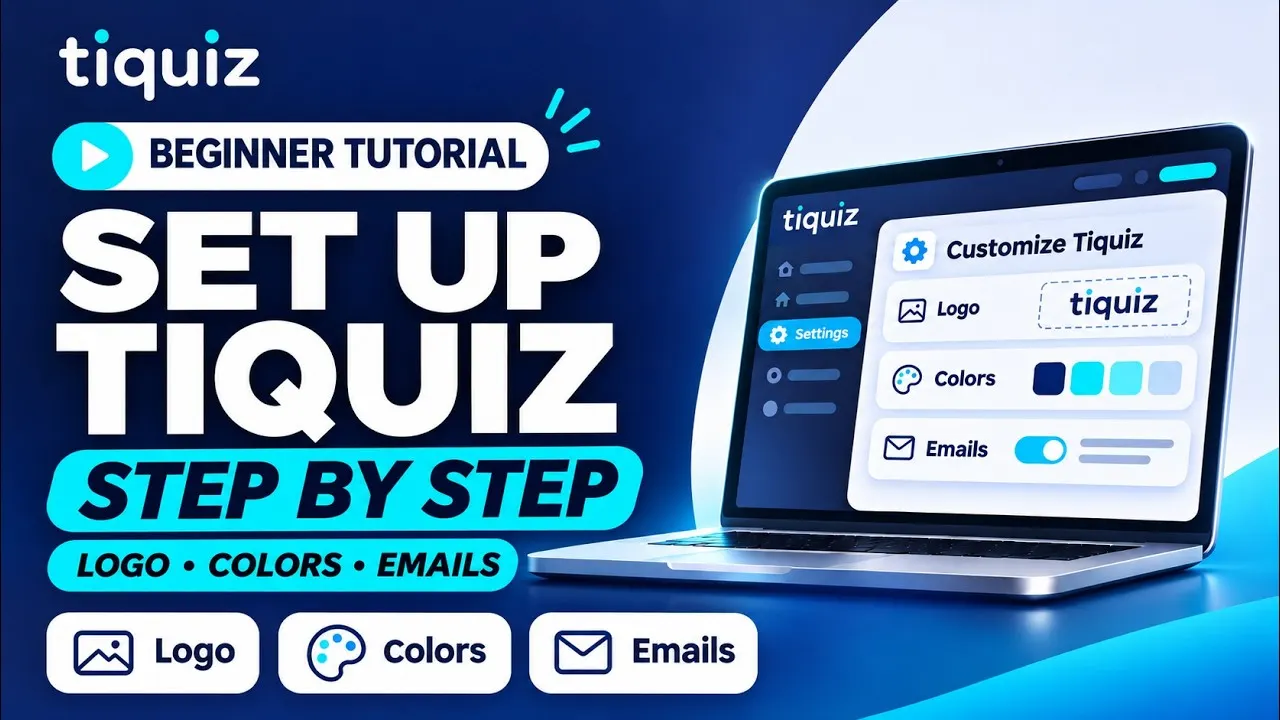
2. Branding: your logo, colors and font
This is the tab that changes the most for your visitors.
- Logo: upload an image, or paste its URL.
- Website: your site's address, shown in your quizzes and emails.
- Colors: your primary color, your text color and your accent color. These are the brand colors of your quizzes and emails.
- Typography: the font of your quizzes and emails.
These settings are a starting point. Each quiz keeps its own design in its editor, so you can go a different way on one quiz without touching the others.
3. My voice: so the AI writes like you
Still in the Branding tab, the My voice card is what the AI uses when it writes your quizzes, surveys and emails. Four fields:
- Tone of voice: for example warm and direct, a bit of humor, never any jargon.
- A few of your texts: a post, an email, a page. A few paragraphs you wrote.
- Your story in a few lines: why you do this work, and how it all started.
- Real client testimonials, with the first name if the person agrees.
The AI only quotes the testimonials you give here. It never makes one up.
4. Domain: your quizzes on your own address
The Domain tab lets you use a branded URL like quiz.your-business.com instead of the default Tiquiz address. It's included in paid plans.
Setting it up comes down to one record at your DNS provider. It has its own walkthrough: connect your domain name to Tiquiz.
5. Emails: the sender and the design
The Emails tab sets who sends your emails after the quiz, and what they look like. It applies to all your quizzes, and it has two parts.
Sender
- The name your lead sees in their inbox. Your first and last name work better than a brand name.
- The address replies go to. Tiquiz sends a code to that address to confirm it: the code is valid for 15 minutes.
- Your postal address. It's required in any marketing email, and it shows in the footer of every email.
- On a paid plan, you can send from your own domain (for example hello@yoursite.com). Otherwise your emails go out from a Tiquiz address in your name, and replies reach your inbox.
Design
- Check Use my Branding to keep your color, font, logo and website. Or style your emails separately: those settings then only apply to your emails, and your quizzes keep your Branding.
- The email width, the padding, the button roundness, the logo width, and your signature name and photo.
- The email preview updates next to it, on Desktop and on Mobile.
The sequence itself is written in each quiz's Emails tab: Tiquiz follow-up emails.
6. Connections and your affiliate link
The Connections tab decides where your quiz leads go: Systeme.io, GoHighLevel, or any tool through a webhook. Each tool is connected once here, then each quiz picks its destination in its Create tab.
The number of connections depends on your plan: 1 on the free plan, 2 on a subscription, as many as you want on PLUS.
Further down, the Earn commissions on your quizzes card is about the quizzes that show the "This quiz is powered by Tiquiz" mention. The link in that mention is tied to your affiliate account: everyone who subscribes to Tiquiz through it earns you a commission. The program is explained on the affiliate page.
7. Connected AI, Tracking, Account & Pricing
- Connected AI: what you need to link Tiquiz to ChatGPT (a button to its official page) or to Claude (an address to paste), so they can read your stats or create a draft quiz. The walkthrough is here: connect Tiquiz to Claude and ChatGPT.
- Tracking: your Meta Pixel and Google IDs, applied automatically to your new quizzes. You can replace them in a quiz's editor.
- Account & Pricing: your plan, switching to another one, and the Manage my subscription and card button to change your card, download your invoices, see your next payment or cancel.
Pitfalls to avoid
- Skipping the postal address. Without it, a follow-up email sequence can't be turned on.
- Trying to send from a Gmail, Outlook or Yahoo address. Sending from your domain needs an address on a domain you own: those providers forbid other services from sending in their name.
- Leaving My voice empty. The AI still writes, but without knowing anything about the way you talk. A few paragraphs from you give it something to work from.
- Pasting a polished-up testimonial. What you put in My voice can be reused as is in an email. Only give real feedback.
- Putting the domain off once your links are already out. Connecting a domain doesn't change the address of existing quizzes, so nothing breaks, but you may as well start from the right address on your first share.
FAQ: Tiquiz settings
Do I need a paid plan to add my logo and colors?
No. Logo, colors, font and My voice are open on every plan, the free one included. A custom domain, sending emails from your own domain and removing the Tiquiz mention need a paid plan. Details are on the pricing page.
Do I have to redo these settings for every quiz?
No. You set them once in Settings, and every new quiz starts from them. You can then change the design of one specific quiz in its editor, without touching the others.
Which address do my follow-up emails come from?
On the free plan, from a Tiquiz address in your name: your leads' replies reach your inbox. On a paid plan, you can send from your own domain, in Settings, Emails tab.
Can the AI make up a client testimonial?
No. It only quotes the testimonials you gave in My voice. If you give none, it writes none.