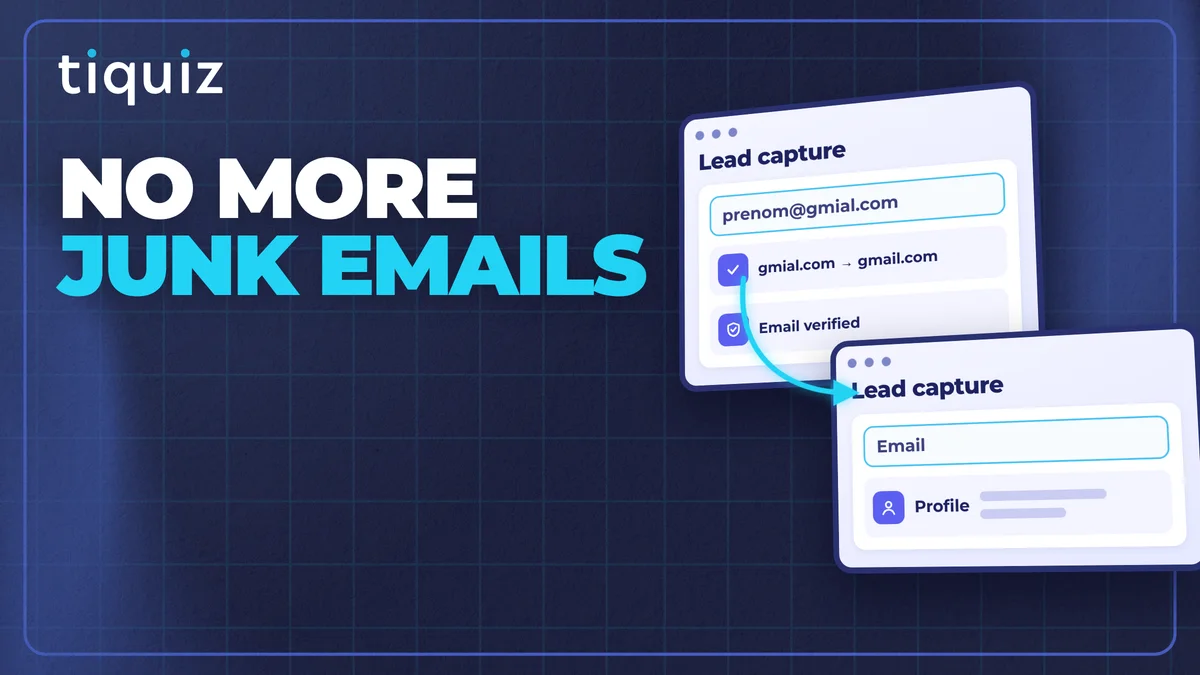
When a quiz asks for an email to show the result, most people give theirs. And some type anything: two letters swapped by accident, a throwaway address made for the occasion, or "test@test.com".
Those addresses land in your list like the others. You don't see them, until the day they cost you something.
What a fake email signup costs your list
- Bounces. An email sent to an address that doesn't exist comes back as an error. Mailbox providers like Gmail look at that rate to judge a sender.
- Emails that land in spam. When your bounces go up, your real subscribers are the ones who stop seeing you in their inbox.
- A list inflated for nothing. Many email tools bill by contact count: you pay for addresses that will never read a thing.
- Skewed numbers. Your open rate drops while your emails are no worse.
- A lead lost over one letter. The person who typed "gmial.com" really wanted their result. They won't get it, and you'll never be able to write to them.
The 5 checks Tiquiz runs on every email entered in a quiz
They run in this order, in a fraction of a second, when the visitor submits their address.
| Check | Example | What the quiz does |
|---|---|---|
| 1. The typo | name@gmial.com | Suggests the fix, doesn't block |
| 2. The format | name@gmail | Refuses |
| 3. Reserved domains | test@test.com, a@example.com | Refuses |
| 4. Disposable addresses | Yopmail, Mailinator | Refuses |
| 5. Can the domain receive email? | name@domain-that-does-not-exist.com | Refuses, only on a clear answer |
1. The typo. If the domain is one letter away from a common provider (gmial.com, hotmail.con, yaho.com), the quiz asks: "Maybe name@gmail.com instead?". It never blocks at this step: if the person confirms their address, it goes through. About sixty providers are recognized: Gmail, Outlook, Hotmail, Yahoo, iCloud, Proton, GMX, plus US, UK, Canadian, French, Belgian, Swiss, Italian and Brazilian providers. The fix is limited to one letter, so one real provider is never turned into another (gmx.de into gmx.fr).
2. The format. Something before the @, a domain, an extension of at least two letters, 254 characters at most.
3. Reserved domains. example.com, test.com, localhost, and anything ending in .test or .invalid: internet standards reserve them for examples and tests. They never receive email.
4. Disposable addresses. More than 121,000 temporary-email domains, subdomains included. The list is public and open source, and it is stored on our side.
5. Can the domain receive email? Tiquiz asks the domain's DNS whether a mail server exists. A domain that doesn't exist, or that officially declares it accepts no mail, is refused.
What the visitor sees when their email is refused
They read: "Looks like this email won't be able to receive the promised result 🤔 A valid address is needed."
The message talks about the promised result, not about a technical error. It reminds people why a real address is worth giving, and they can fix it right away.
In a survey that asks for the email first, the address is checked at that moment, not after the last question. Nobody answers ten questions to be turned away at the end.
No email address is sent to a third-party service
All five checks run on Tiquiz's servers. Your visitor's address goes to no verification vendor.
- For privacy, no extra processor receives your visitors' emails.
- For your budget, there is no verification subscription and no credits to buy. It's included in every plan, free included.
An outage never costs you a real lead
A strict check has one flaw: the day it's wrong, it turns real people away. So Tiquiz only refuses on a clear answer.
- If the check doesn't answer within 2.5 seconds, the email goes through.
- If the DNS servers behave strangely (to the point of saying even Gmail receives nothing), Tiquiz notices and lets everything through, rather than blocking everyone.
Between letting a doubtful address in and losing a real lead, the choice is made: the lead comes first.
What Tiquiz's email check does not do
Let's be clear:
- Tiquiz doesn't verify that the mailbox exists. "imadethisnameup@gmail.com" goes through, because gmail.com does receive email. The only way to know is to send an email to that address.
- Tiquiz doesn't send a signup confirmation email (double opt-in). That is set in your email tool.
So you get as few junk emails as possible at the door, not zero fake emails.
To go all the way: double opt-in in your email tool
With double opt-in, the person receives an email and clicks a link to confirm their signup. A made-up address never confirms: it doesn't enter your active list.
The two protections complete each other: Tiquiz removes typos, disposable addresses and dead domains at entry, and double opt-in then removes mailboxes that don't exist.
Whether to turn it on is your call: confirmation also loses a few real subscribers who don't click. On a list with deliverability trouble, it's worth it.
The technical detail of the domain check
If you want to know exactly what happens in the fifth check:
- MX records. Tiquiz queries the domain's DNS to find which servers receive its email.
- Null MX. A domain can officially declare that it accepts no mail (RFC 7505). In that case, the address is refused.
- No MX, but an address record. The email standard (RFC 5321) allows delivery straight to the domain's address when it has no MX. Tiquiz follows it: a domain with no MX but an address record goes through.
- A domain that doesn't exist is refused.
- The control check. Before trusting a "no", Tiquiz confirms that DNS can see gmail.com's mail servers. If not, no DNS answer is trusted and everything goes through. That control is rechecked every 10 minutes.
Nothing to turn on: the email check is already running on your quizzes
If you already have a Tiquiz quiz, it's been protected since this feature went live. If you build one, it's protected the moment it's published. The walkthrough is in create a quiz with AI, and the next step in manage your quiz leads.
FAQ · fake email signups in a quiz
Do I need to turn on email validation in Tiquiz?
No. It's on by default for every quiz and every plan, free included. There is no setting.
Does Tiquiz block disposable emails like Yopmail?
Yes. More than 121,000 temporary-email domains are refused, subdomains included. The visitor is asked for a valid address to receive their result.
Is a made-up Gmail address refused?
No. If the domain receives email, the address goes through: Tiquiz can't tell whether the mailbox exists. To filter those out, turn on double opt-in in your email tool.
Can a real lead be refused by mistake?
Tiquiz only refuses on a clear answer. With no answer within 2.5 seconds, or if DNS servers answer inconsistently, the email goes through. And a typo never blocks: the quiz suggests a fix, the person decides.
Are my visitors' emails sent to a verification service?
No. Every check runs on Tiquiz's servers, with no third-party vendor.
Sources
- RFC 7505, "A 'Null MX' No Service Resource Record for Domains That Accept No Mail": rfc-editor.org/rfc/rfc7505
- RFC 5321, "Simple Mail Transfer Protocol", section 5.1 (delivery without an MX record): rfc-editor.org/rfc/rfc5321
- RFC 2606, "Reserved Top Level DNS Names": rfc-editor.org/rfc/rfc2606