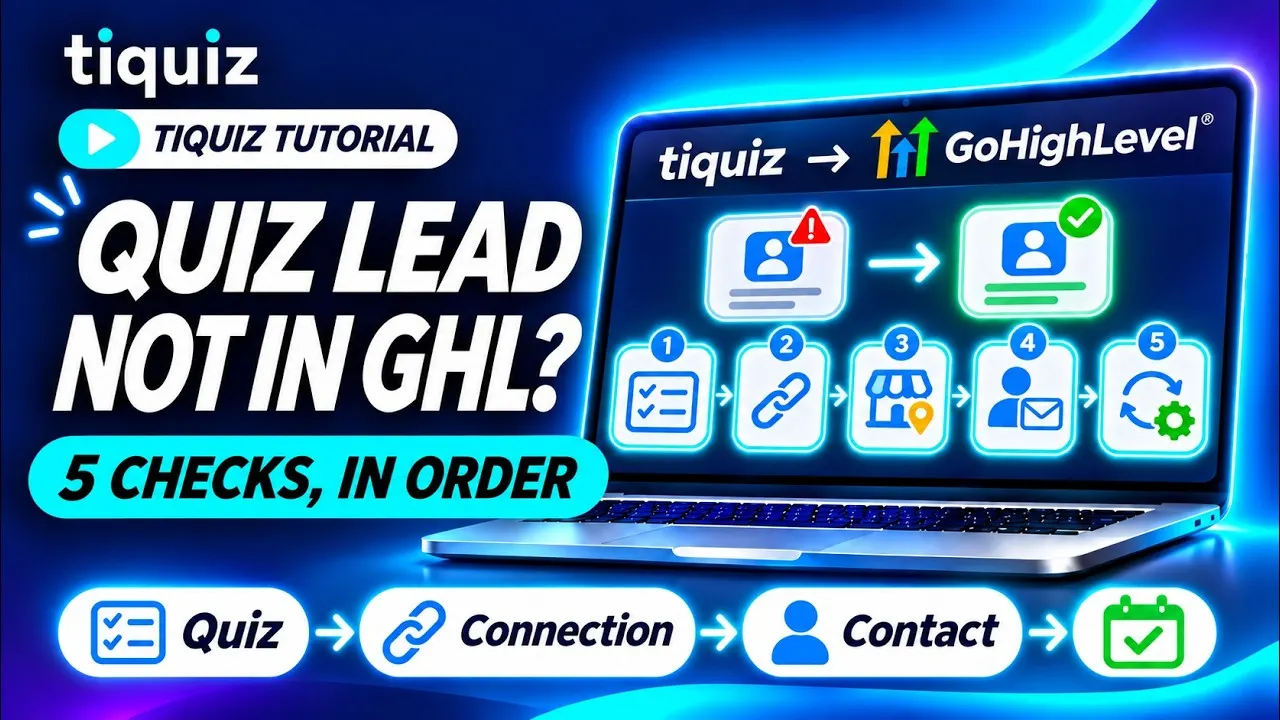
Someone answered your quiz, and their contact is not in your GoHighLevel sub-account. Or it is, and nothing fired.
In between, the lead follows a precise path: it is saved in Tiquiz, Tiquiz picks its destination, calls GoHighLevel with your connection, creates or updates the contact, then adds its tags. Each check looks at one step of that path, in order. Don't skip the first one: it tells you whether the problem is on the Tiquiz side or the GoHighLevel side.
This article follows the video tutorial with the exact labels of the Tiquiz screens. If your connection isn't set up yet, start with connecting Tiquiz to GoHighLevel.
Check 1: did the lead reach Tiquiz?
Open My leads and look for the address. If it isn't there, GoHighLevel has nothing to do with it: nothing was sent because nothing arrived. Four possible causes:
- The quiz is a draft. The switch at the top of the editor reads Live or Draft, and as a draft: "The quiz is a draft: nobody can answer it." A visitor who opens it anyway can't send their email.
- The quiz doesn't ask for the email. Create tab, left column, Settings, "Contact details" group: the Ask for the email switch. Off, the visitor sees their result without leaving an email, and no contact is collected.
- The form was never sent. When the consent checkbox is shown, the form button stays grayed out until it is checked. And a disposable address, a domain that doesn't exist or a reserved address like
test@example.comis refused right in the form: for your tests, use a real inbox. - The free plan hit its limit. The screen says it: "The free plan shows 10 leads per 30-day window. Upgrade to unlock them all: your leads are then sent to your tool automatically." Beyond 10 leads over a rolling 30 days, across all your quizzes, the new lead is saved, but locked in My leads, and it is not sent to GoHighLevel.
The lead is in My leads, unlocked? The problem is further down: go to check 2.
Check 2: what does its file say, in the Sent to your tool card?
In My leads, click the lead's name to open its file. The Sent to your tool card says what happened when it came in, and each message points to the check that deals with it:
- "Sent to GoHighLevel": GoHighLevel accepted the contact. Missing from your sub-account? It is in another one (check 3). There, but nothing fired? Go to check 5.
- "Sent to Systeme.io": this quiz sends its leads somewhere other than GoHighLevel (check 3).
- "Not sent: no tool was connected to this quiz when they came in.": the quiz had no destination (check 3).
- "Not sent: the connection to your tool is paused.": check 4.
- "Not sent:" followed by a message: that is the reason returned at send time, often GoHighLevel's own answer. A rejected connection is fixed in check 4.
The file tells the story of the lead's arrival, not today's status: a lead that came in during an outage stays "Not sent:" until you send it again, even once the connection is fixed.
Check 3: does the quiz send to the right sub-account?
Open the quiz, Create tab, left column, Settings, "Quiz management" group: Where this quiz's leads go, Your email tool line. A badge next to it shows the state of the chosen connection: Connected, Paused or Error. The menu itself can say three things:
- The name of a sub-account. Each GoHighLevel connection carries the name of its sub-account. Check that it is the one where you are looking for the contact: a lead marked "Sent to GoHighLevel" that you can't find landed in a different sub-account from the one you are looking at.
- Default: followed by a name. The quiz follows the project setting: Settings, Connections tab, Where your leads go block, Default email tool menu. If it names Systeme.io, your leads go there. Connecting GoHighLevel didn't change it, and the screen says so: "Connecting a new tool doesn't change where your leads go: this menu chooses it."
- No email tool. "Nothing is sent: leads stay in Tiquiz, in My leads." The Automate tab flags it too: "No tool is linked to this quiz. Until then, no contact is sent and no tag is applied."
The order Tiquiz follows never changes: the connection chosen on the quiz first, then a Systeme.io key chosen on the quiz, and only then the project's default destination. A quiz set to a Systeme.io key sends its leads there, even when GoHighLevel is the default destination. For a quiz to go to GoHighLevel no matter what happens to the project, name its sub-account in this menu.
Two agency cases. Connections and the default destination are set project by project: a quiz follows those of ITS project. And when a connection is deleted, "Delete "{nom}"? Quizzes using it will fall back to the default connection." If it was the default connection, the oldest remaining connection in the project takes its place: it may be another client's sub-account. The full setup is in one quiz per client, every lead in the right sub-account.
Check 4: does the GoHighLevel connection respond?
Open Settings, Connections tab, and click Manage on the GoHighLevel card. Each connected sub-account has its own row.
- The switch. On "Sync paused", nothing goes to this sub-account anymore, and nothing goes anywhere else either: paused means send nothing, and leads stay in Tiquiz. Turn it back to Sync on.
- The Test button. It queries your sub-account. "It responds: the connection is live.": all good on that side. "GoHighLevel refuses the connection. Reconnect this sub-account.": GoHighLevel rejects Tiquiz's access. "GoHighLevel is not responding right now. Try again in a few minutes.": a temporary outage at GoHighLevel, not a setting of yours.
- The Disconnected badge. The access GoHighLevel gives Tiquiz expires after a day, and Tiquiz renews it on its own. When GoHighLevel refuses that renewal, or refuses a send (the app was uninstalled from the sub-account, access was revoked), the connection turns "Disconnected" and you get one email, once. A temporary outage at GoHighLevel disconnects nothing.
To reconnect a disconnected sub-account, don't delete its row. Click Add a sub-account and pick the same sub-account at GoHighLevel. Tiquiz recognizes it by its ID, renews its access without creating a second row, and shows "GoHighLevel access renewed: the connection works again." Its quizzes keep their destination. Deleting the row, on the other hand, would send those quizzes to the default connection.
Check 5: the contact is there, but nothing fires?
The contact is in your sub-account: Tiquiz did its part. What comes next happens between the tag and the workflow.
- Does the result have a tag? Open that result in the Create tab: the Tag to apply to people who got this result field must name one. If not, the Automate tab warns you: "People who get it will not be recognizable anywhere in your tool."
- Is the workflow waiting for that exact tag? Tiquiz sends the tag as you picked it, without translating or fixing it. In the Automate tab, one click on a tag copies it: paste it into the workflow trigger ("Contact Tag", filter "Tag Added").
- Was the workflow published before the tag arrived? HighLevel's help center says it plainly: a tag only triggers a workflow if it is added after the workflow was activated. Contacts tagged before do not enter it on their own.
- Does your test reuse an address? With Allow Re-entry turned off, a contact goes through a workflow only once: a second try with the same address stays silent. Test with a fresh address.
- Does the workflow create an opportunity? A lead without a first name makes it fail. The quiz setting to make is in turn quiz leads into GoHighLevel opportunities.
And if a field is missing, not a contact: the result name, in the tiquiz_resultat field, and your form's fields are only written when your connection is allowed to write the sub-account's custom fields. Without that permission, the contact and its tags are still sent, and the lead's file flags it under "Sent to GoHighLevel". To trigger a workflow, rely on the tag: that one is always sent.
Send the leads that didn't go out
Fixing the cause doesn't resend anything by itself: the leads that came in during the outage stayed in Tiquiz. Two buttons, in My leads:
- Sync, on the row of a lead that wasn't sent (Send again on a lead already sent): one lead at a time, handy for your test.
- Sync all, at the top of the list. It sends all your leads to the tool connected to each quiz, and existing contacts are updated, not duplicated.
Before you click, think about your workflows. The screen reminds you: "If an automation starts on an added tag, it may run for contacts that receive a new tag."
The locked leads of the free plan need no button: when you upgrade to a paid plan, they are sent to your tool automatically.
The shortcut, if your AI is connected to Tiquiz
If you connected Tiquiz to Claude or ChatGPT, ask it: "Why aren't my quiz leads showing up in GoHighLevel?" Your AI reads the diagnosis Tiquiz computes for that quiz: which tool it sends to, whether that connection is disconnected or paused, whether a result has no tag, and which of the quiz's tags don't exist yet in your sub-account.
What it can't see: your workflows. Check 5 still happens in GoHighLevel.
The pitfalls to avoid
- Searching GoHighLevel before searching My leads. A lead Tiquiz never received won't come out of any GoHighLevel setting. Check 1 takes ten seconds.
- Testing with a made-up address.
test@example.comis refused right in the form, and an address that already went through a workflow won't go through it again. A real, fresh inbox for every test. - Deleting a disconnected sub-account to reconnect it. Its quizzes fall back to the default connection. Adding a sub-account and picking the same one is enough: its access is renewed.
- Thinking that connecting GoHighLevel changes the destination. If another tool was your project's destination, your leads keep going there. The Default email tool menu, or the quiz menu, decides.
- Deleting an agency's default connection without checking what replaces it. The oldest remaining connection in the project becomes the default destination, and quizzes without their own destination follow it.
- Waiting for leads to go out again on their own after an outage. They stay in Tiquiz until you click Sync all.
Your leads arrive, now put them to work: the 5 GoHighLevel workflows to build after a quiz, opportunities in your pipeline and the result that leads to your calendar.
FAQ: your quiz lead isn't showing in GoHighLevel
My lead is in My leads, but not in GoHighLevel: where do I start?
With its file: click its name in My leads. The Sent to your tool card says whether it went to GoHighLevel, to another tool, or why it didn't go: paused connection, no tool connected to the quiz, or a rejection from GoHighLevel.
Are the leads that came in during an outage lost?
No. They stay in Tiquiz. Once the connection is fixed, Sync all, in My leads, sends them again: existing contacts are updated, not duplicated.
How do I reconnect a disconnected GoHighLevel sub-account?
In Settings, Connections tab, click Add a sub-account and pick the same sub-account at GoHighLevel. Tiquiz renews its access on the existing row: no duplicate, and its quizzes keep their destination. Don't delete the row first.
The contact arrived without its result name in tiquiz_resultat: is something broken?
No. That field is only written when your connection is allowed to write the sub-account's custom fields. Without that permission, the contact and its tags are still sent: build your workflows on the result tag.
On the free plan, why isn't my eleventh lead in GoHighLevel?
Because the free plan shows 10 leads per 30-day window, across all your quizzes. Beyond that, the lead is saved but locked, and it isn't sent to your tool. When you upgrade to a paid plan, those leads are sent automatically. The plans are on the pricing page.
The contact is there, but my test didn't trigger anything: why?
Three causes to check in order: the address had already been used (with Allow Re-entry turned off, a contact goes through a workflow only once), the workflow was published after the tag arrived, or its tag isn't exactly the quiz's tag. The first two come from HighLevel's help center, cited at the bottom of the page.
Sources (checked November 2, 2026)
- HighLevel, "Workflow Trigger - Contact Tag" (FAQ on tags added before the workflow was activated): help.gohighlevel.com
- HighLevel, "Workflow Settings - Overview" (Allow Re-entry): help.gohighlevel.com